 Decks
Make vertical photos fit your Aura frame.
Skip the trip back into Aura to pinch the crop. Keep the whole portrait or choose two favorites to show together. Decks saves them as one slide, ready to add through Aura.
 Five free export batches each month.


Ever go back into Aura just to pinch the crop?
The photo looked right on your phone. On the frame, someone at the edge is missing. And if you add a second portrait, you can’t count on those two showing up together.
In Decks, you see the whole slide before you send it. Swap the suggested pairs, adjust the crop, then export the two photos as one image. They’ll stay together on the frame.
Make your first pair ↓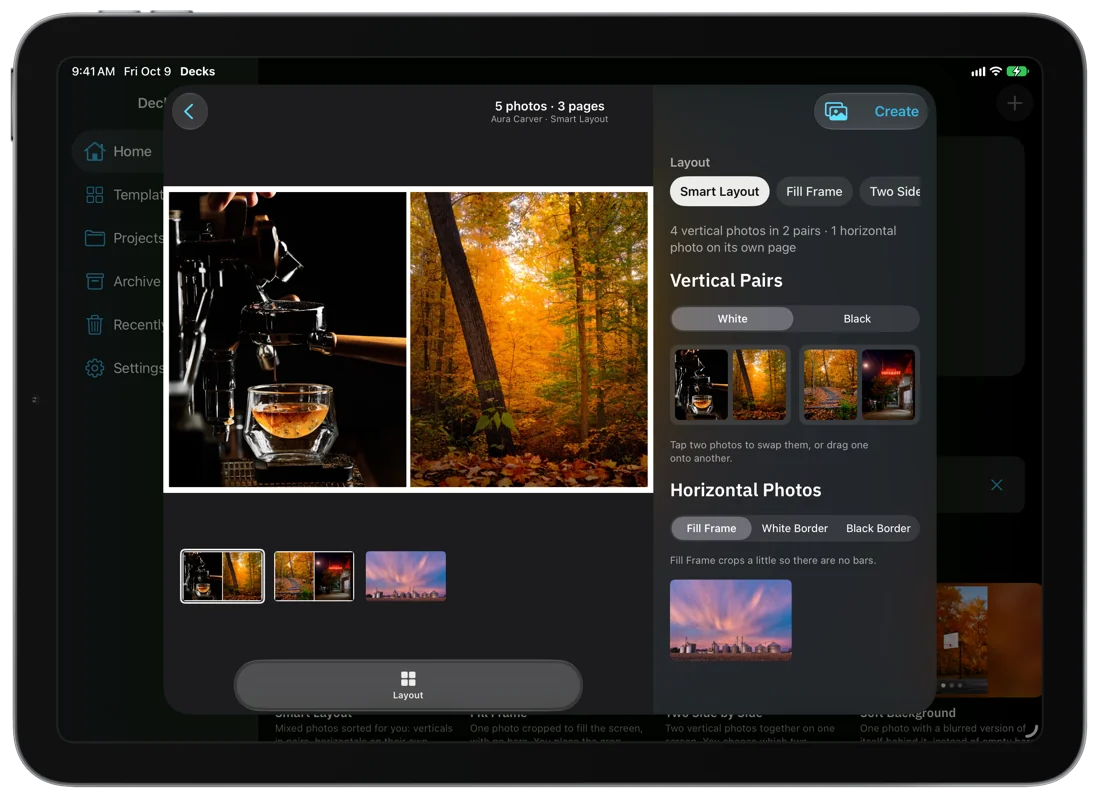
From your phone to their frame.
Choose your frame.
Pick your Aura model and orientation in Decks. Your page now matches the shape of its screen.
Decide who goes together.
Choose Singles & Pairs and pick your photos. Swap the suggested pairs or give a photo its own page. Check the crop while you’re here.
Send the finished pictures.
On iPhone, tap Export, then Share and choose Aura. Pick the destination frame in Aura. On Mac, export the images and upload them the way you usually do.
How do you want the slide to look?




Find your frame in Decks.
These are the built-in Aura presets in Decks 1.0. Choose your model and orientation in Settings → Destinations.
| Frame | How it sits | Page shape in Decks |
|---|---|---|
| Carver, Carver Mat | Sideways only | 16:10 landscape |
| Aspen | Sideways or upright | 4:3 landscape or 3:4 portrait |
| Walden | Sideways or upright | 4:3 landscape or 3:4 portrait |
| Ink (13-inch) | Sideways or upright | 4:3 landscape or 3:4 portrait |
Questions
Do I need the Aura app?
Yes. Use Aura’s app to set up the frame and add pictures. Decks prepares image files independently. On Mac, export the pictures and use your usual Aura upload method.
Will Aura still crop my photo?
Decks makes the image the exact shape of your frame’s screen, so it should fill the screen without cropping. That’s why you match the page shape to your frame first.
Why does my frame put bars beside vertical photos?
It’s called pillarboxing. A tall photo on a wide screen has empty space on each side. Decks fills that space with a second photo, a soft background, or a crop you choose.
What if I have an odd number of vertical photos?
The extra one gets its own page with a soft background.
Does Decks change my original photos?
No. Your originals stay as they are. Decks saves a new copy.
What does it cost?
Decks is free to download, with five free export batches each month, and smart layouts use that allowance. Decks Pro adds unlimited exports for $1.99 a month, $9.99 a year, or $24.99 once. See pricing.
Giving an Aura frame this holiday?
Start their slideshow with the family photo and the outtake. Pair them in Decks, then add the finished picture through Aura. Every time that slide comes around, they’ll see both.
For iPhone, iPad, and Mac. iOS and iPadOS 18 or later, macOS 15 or later on Apple silicon.