 Decks
Decks
Frames for Instagram and Threads · iPhone and iPad
A modern frames app, by a photographer, for photographers.
Decks puts your photos in clean frames sized for Instagram and Threads, with the camera details, text, and captions a photographer wants beside them. Save the look as a template, and the next post takes a few taps. Or none: select photos in Apple Photos, run a Shortcut, and the finished pages land back in your library.
Available in beta for iPhone and iPad running iOS 18 or later.
01 / The photo
Frames that keep the photo first.
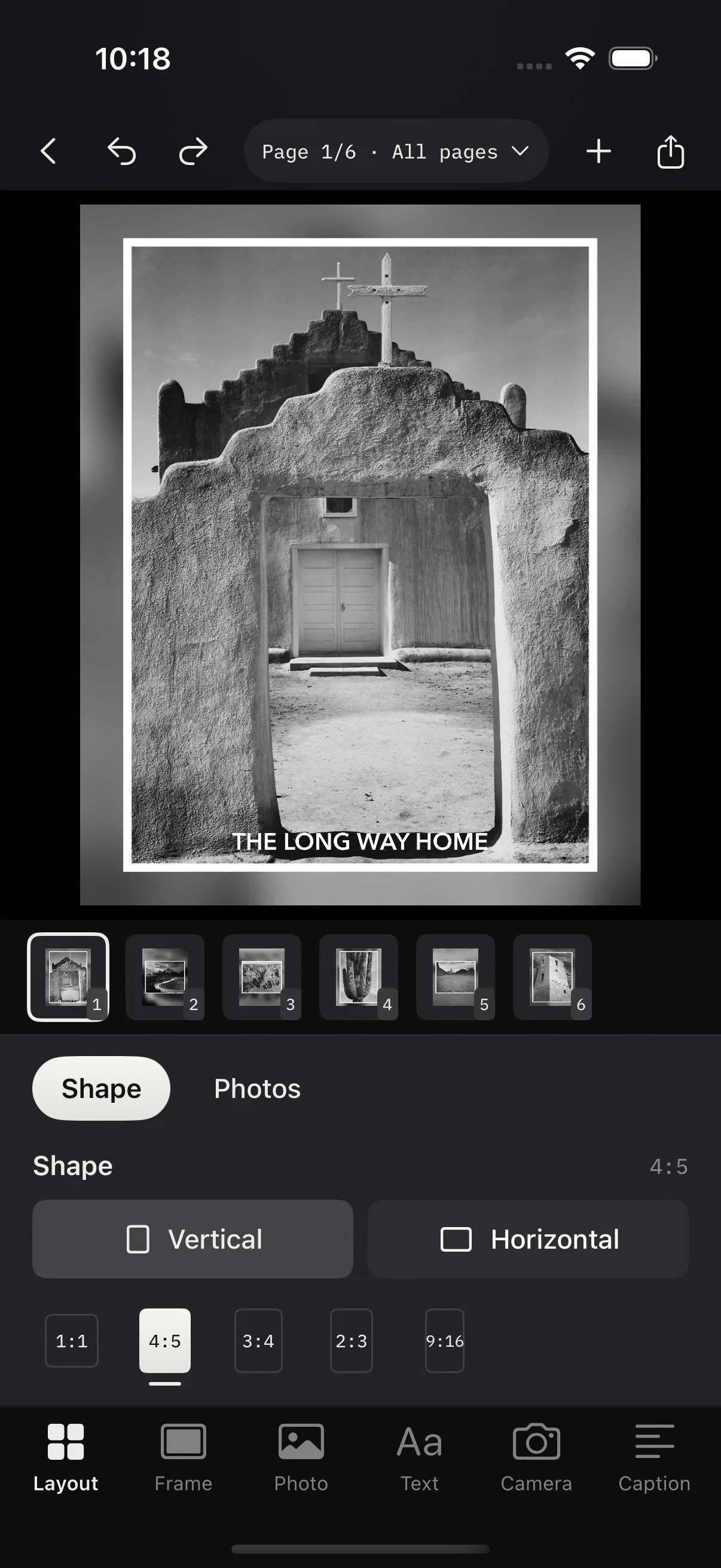
Pick the shape a post needs and Decks handles the math. A border in the width you want, a background in a color or a blur of the photo itself, and film edges with sprockets when the shot deserves them. Fit or fill, zoom and pan, and per-side margins.
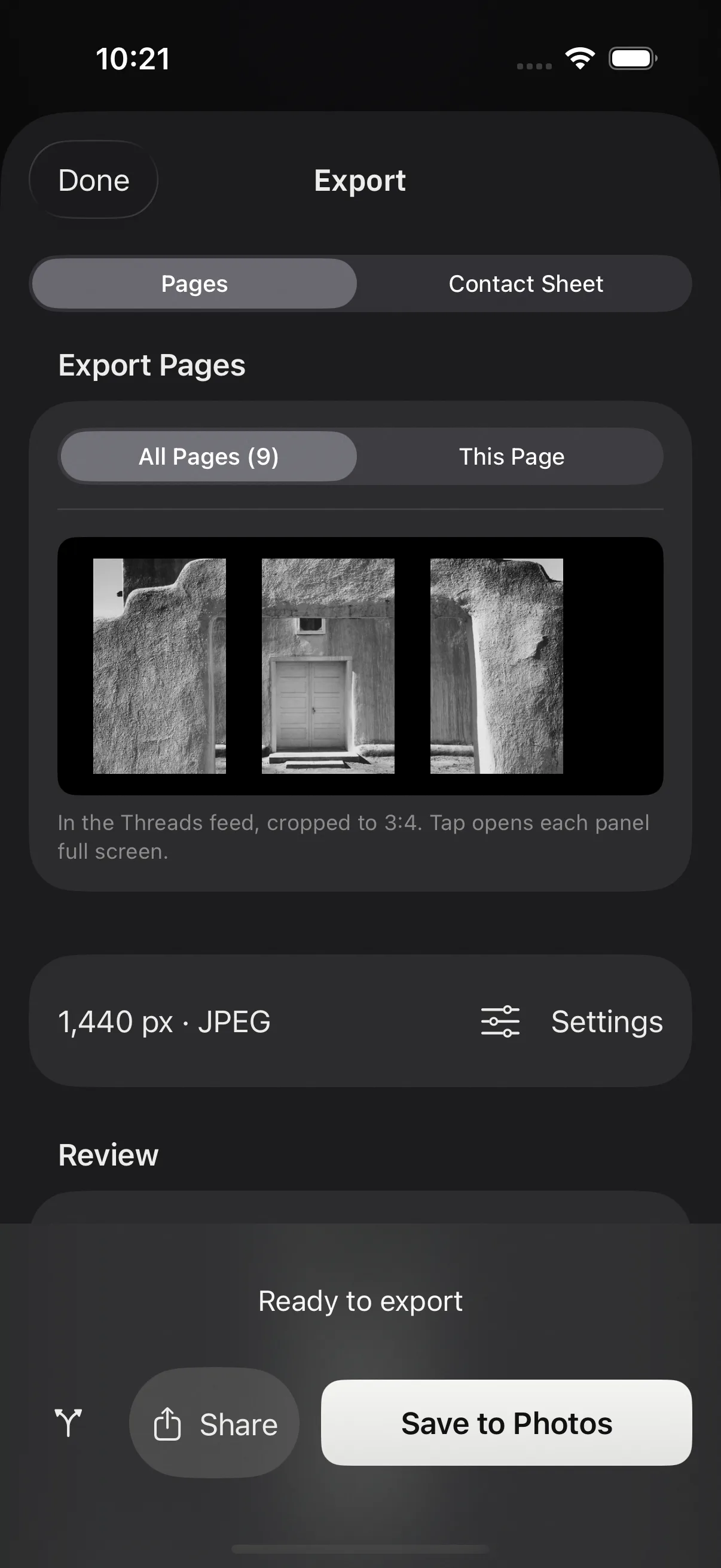
Split one photo across linked pages and the pieces line up as a carousel. For Threads, a taller page shape matches how the app shows a full-screen image, and a feed preview in Export shows the 3:4 crop Threads applies in the timeline, so nothing important sits on a seam.
- 1:1
- 4:5
- 3:4
- 2:3
- 9:16
02 / Video
Video in the same frame as photos.
- Same page, same lookDrop a clip into a page beside your photos. It takes the same border, background, film edges, text, and camera card as the stills.
- Trim in placeDrag the ends of the timeline under the page. The frame you see is the frame you keep, and the still that stands in for the clip everywhere else comes from the trim start.
- Blurred background that holds stillKeep the blur fixed behind the clip, or let it move with the footage. Export is an MP4, H.264 by default, saved to Photos next to the stills.
03 / Details on the photo
Camera details, text, and logos on the page.
Camera, lens, focal length, aperture, shutter, ISO, and date come from the photo’s own metadata. Put them on the page as a card, choose which lines appear and in what order, and drag it where it belongs. Scans and clips carry no metadata, so a saved gear list fills in for film.
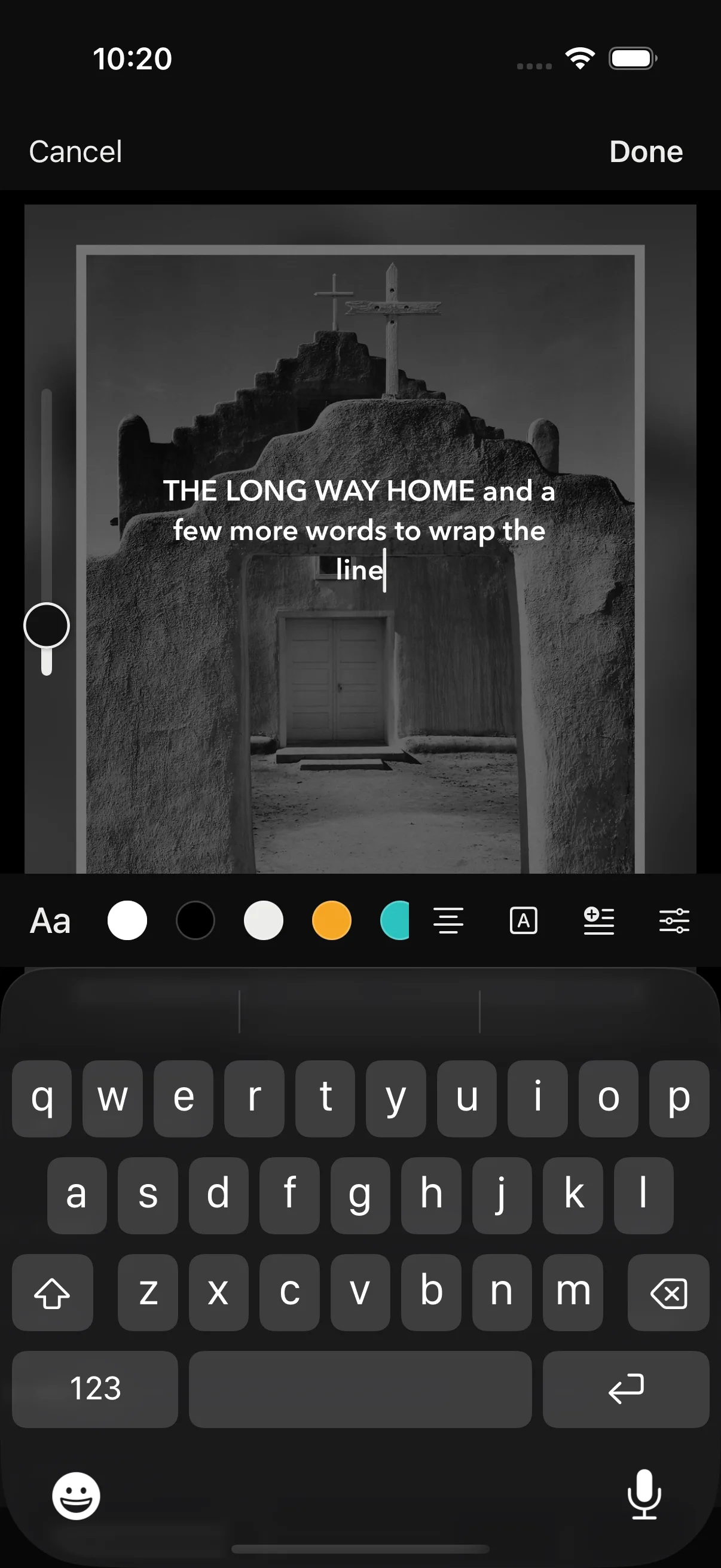
Text works the way it does in Instagram. Tap to type, drag to place, pinch to size, twist to rotate, in system fonts or any font installed on your device. Add a logo and let the border make room for it, the same way it does for a camera card.
04 / Details in the post
Captions for each page, with the same details.
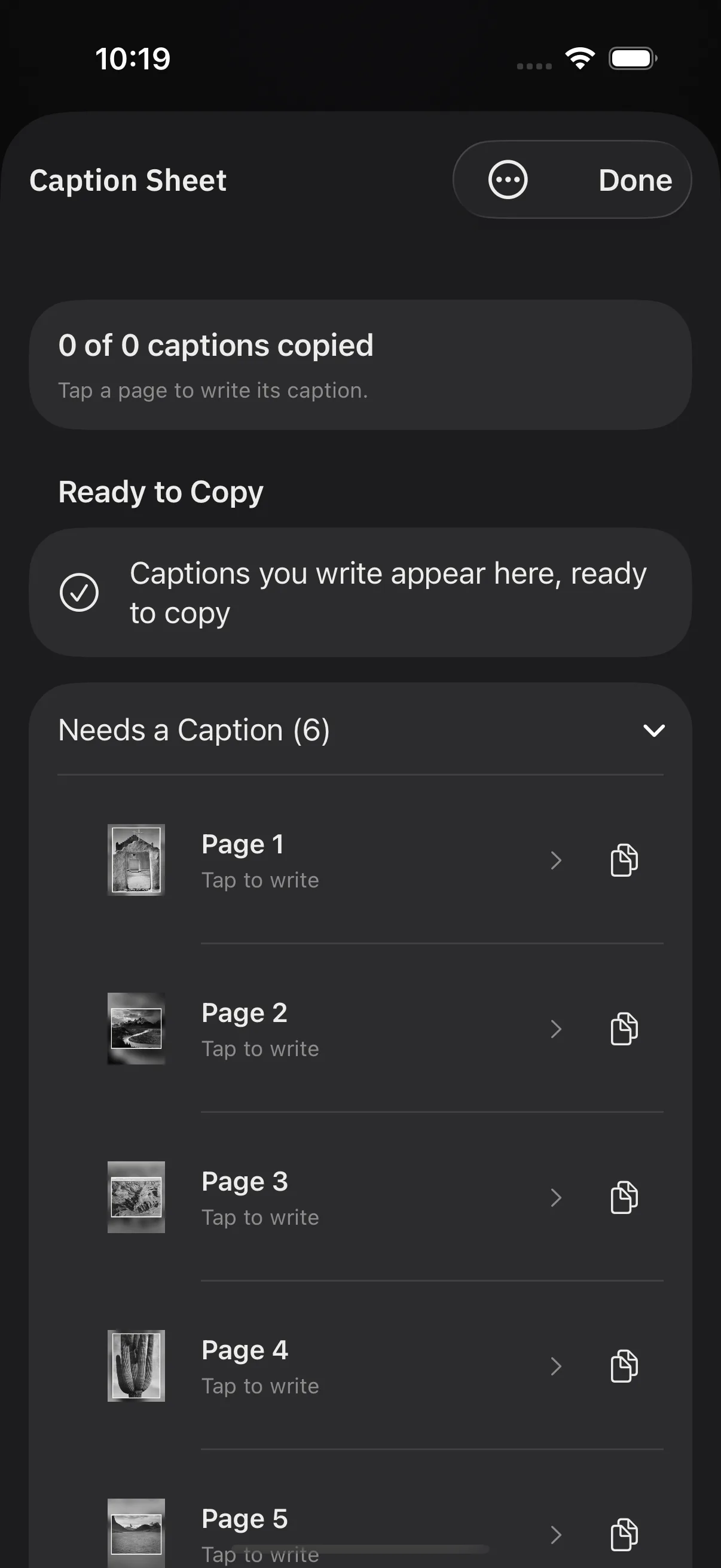
The Caption Sheet is one screen per page. Write the caption, then insert the camera details from a chip bar above the keyboard, without leaving the field. Type a semicolon to search every detail the photo carries.
When the batch is done, Decks keeps the captions in order. Copy the first, paste it in Instagram, come back for the second. Finished projects wait on the home screen under Ready to post with a Copy captions action beside them.
- camera
- lens
- focal length
- aperture
- shutter
- ISO
- date
- page 2 of 5
05 / Posting
Templates, Shortcuts, and the share sheet.
Every choice on a page, from the border to the caption wording, can be saved as a template. Start the next batch from it, edit it on a sample photo, duplicate it for a variation, or share it as a file. There is no limit on how many you keep.
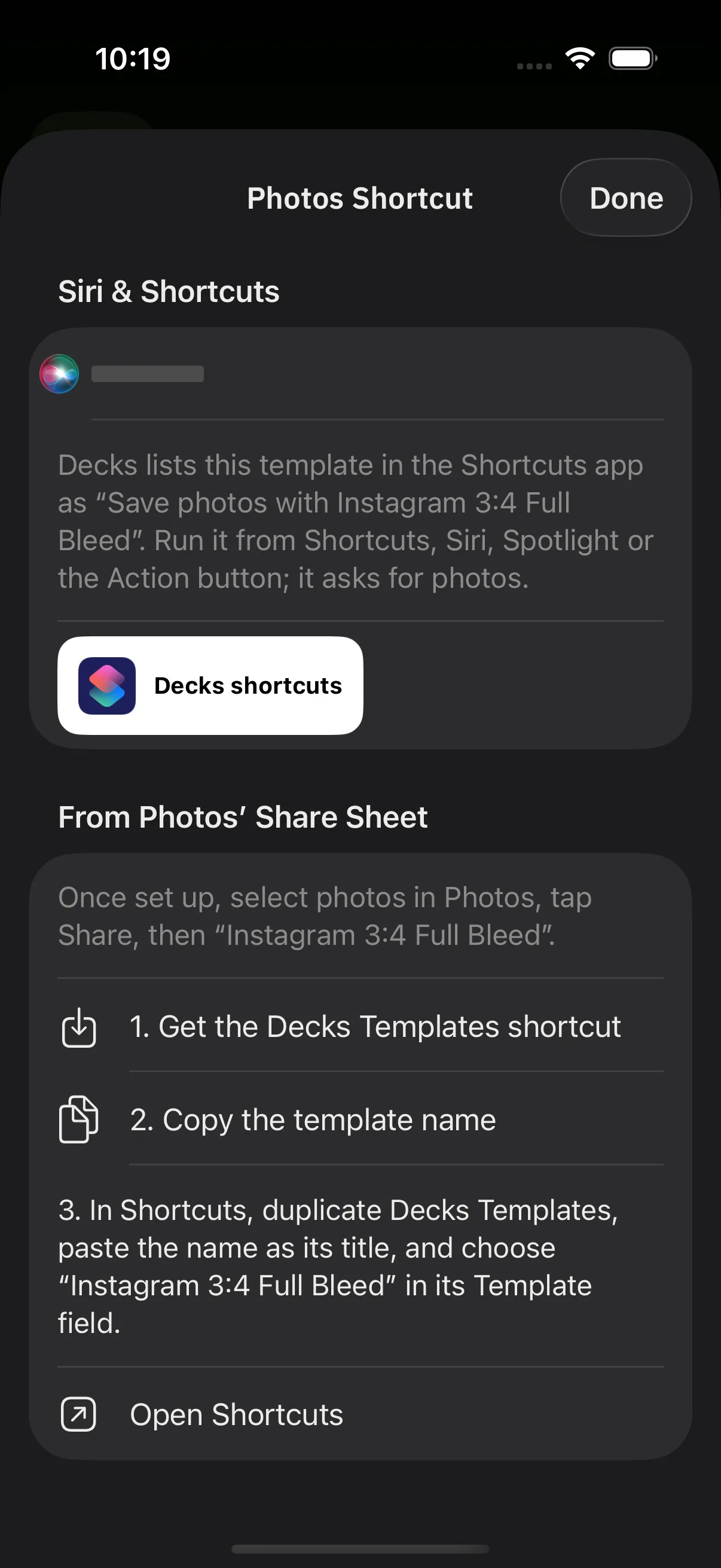
Each template shows up in the Shortcuts app as “Save photos with” that template’s name. Run it from Shortcuts, Siri, Spotlight, or the Action button, or add the Decks Templates shortcut to the Photos share sheet and post without opening the app. Photos can also be sent straight to Decks from the share sheet, in the order you selected them.
Projects have a life after export. Finished ones wait under Ready to post, pinned ones stay put, and the rest archive themselves after a week, then move to Recently Deleted after a month, where they stay until you empty it.
06 / Export
Exports with only the details you chose.
- Privacy by defaultExports are sRGB JPEG or PNG at 1440 pixels wide, with GPS and contact fields stripped. Only the camera details you chose go out.
- Contact sheetExport a whole project as one contact sheet for review or for a client, from the same Export screen.
- iPhone and iPadTurn on iCloud sync per device and your projects and templates travel with you. It is off until you ask for it.
Example photographs by Ansel Adams from Ansel Adams Photographs of National Parks and Monuments, 1941 to 1942, National Archives and Records Administration. Public domain as work of the United States government. Text on the pages is placeholder wording, not Adams’ titles.
Status
Try Decks on TestFlight.
Decks is available in beta for iPhone and iPad. Install it with TestFlight and send feedback as you use it. It comes from the same workshop as Ingest, the Mac app for importing and culling.